OfficeCalendar saves you money!
|
OfficeCalendar supports Microsoft's Windows Vista OS and Office 2007
Lookout Software continually strives to keep our products up to date, and we are committed to supporting the newest versions of Windows Operating Systems and Microsoft Outlook. Since the release of Microsoft Windows Vista Operating System along with Microsoft Office 2007, we have gone through a careful review of the many changes brought about in Windows Vista and Outlook 2007; and have updated OfficeCalendar to in to support them with version 3.1.1.0 and after.
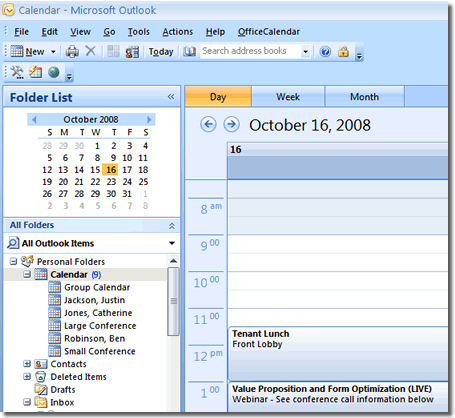
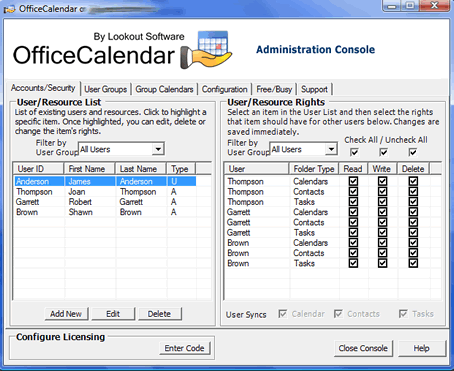
You must have OfficeCalendar version 3.1.1.0 or higher to ensure your OfficeCalendar installation will support Microsoft Windows Vista and/or Microsoft Office 2007. Also, version 3.1.1.0 is fully backward compatible with previous versions of Microsoft Outlook in which we've supported in the past. Thus, OfficeCalendar continues to support mixed Outlook environments. If you have any questions about which version of Microsoft Outlook that are supported by OfficeCalendar please refer to the System Requirements page on our website at http://www.officecalendar.com/products/product_requirements.aspx
To check your OfficeCalendar installation to see if you have the most recent version of OfficeCalendar, follow the steps below:
- Physically go to the PC on your network that you have designated as the OfficeCalendar Server PC.
- From the OfficeCalendar Server PC, while the OfficeCalendar Server application is running, right-click the small OfficeCalendar Server icon in your Windows System Tray and choose "Check web for Updates." You will be directed to a web page that shows whether or not you are on the most current version.
- If you are not running the most current version and you are NOT a Maintenance & Upgrade Protection Plan subscriber, you will be presented with the option to purchase Maintenance & Upgrade Protection and receive your upgrade at no charge after the order is completed.
Please feel free to contact OfficeCalendar Sales at 866-847-7512 with questions or to receive additional assistance purchasing your OfficeCalendar Maintenance & Upgrade Protection Plan or OfficeCalendar Upgrade.
|
|
Microsoft and the Office logo are trademarks or registered trademarks of Microsoft Corporation in the United States and/or other countries.