 |
 |
Share Outlook calendar, contacts, tasks and email folders. |
|
Share both personal and resource calendar, contacts and tasks folders. |
|
Control what others can see and do with sharing security. |
|
Exchange Server and other expensive software is not required. |
|
Very simple to use and administer. |
|
Supports Microsoft Outlook 2000, XP, 2003, 2007, 2010, 2013 and 2016. |
|
|
|
|
 |
|
 |
|
|
OfficeCalendar let's you share Outlook calendar,
contact, task and email folders with your colleagues
without an Exchange Server.
|
|
OfficeCalendar also offers powerful group calendaring and
scheduling capabilities that even Microsoft Exchange Server
doesn't offer!
|
|
|
See examples of shared personal folders
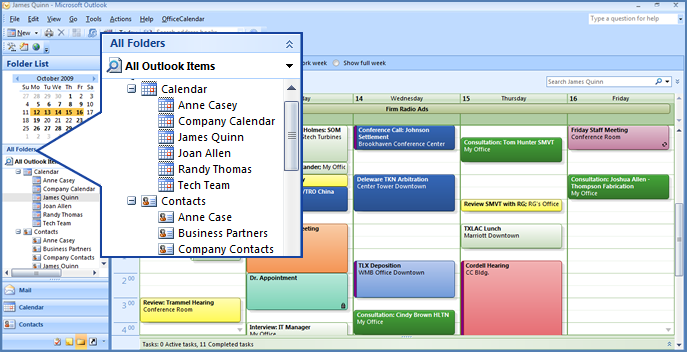
OfficeCalendar creates shared calendar, contact and task folders directly below your primary calendar, contact, task, and email folders within Microsoft Outlook as shown in this screenshot illustration. OfficeCalendar also creates a folder for each resource folder you can view. Example of shared resource folders include "shared conference room calendars, shared company marketing calendar, etc."
Here we are viewing the calendar of James Quinn in Microsoft Outlook's weekly view.
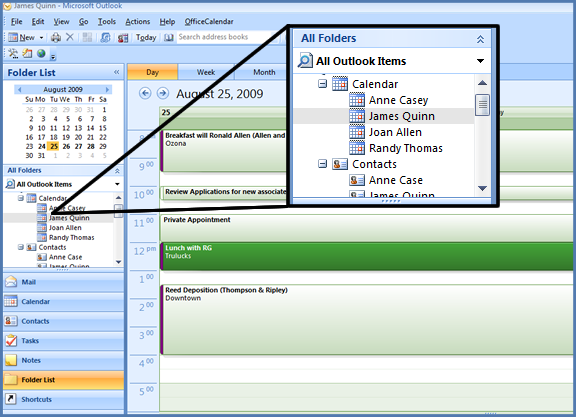
Here we are viewing the shared calendar for James Quinn in Microsoft Outlook's daily calendar view.

You'll also notice that color labels in Outlook are preserved in shared calendar views as well, which allows you to come up with an organization-wide color scheme for organizing calendar appointments.
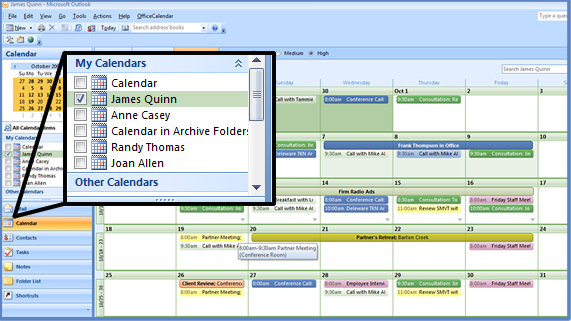
Your shared calendar folders are also visible in "Outlook My Calendars" list making it both quick and easy to change your view to another calendar.
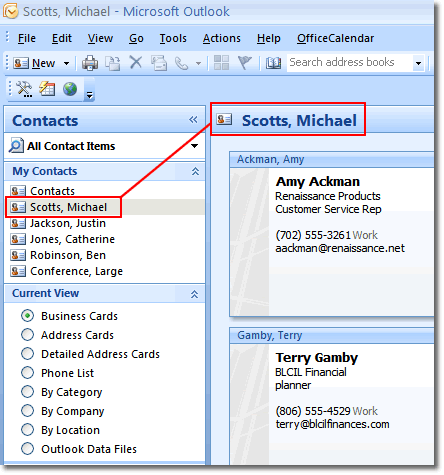
Sharing Microsoft Outlook contact folders works identically to shared calendar folders when using OfficeCalendar. Additional contact folders are created directly below your primary Contacts folder labeled with the name of the contact folder's owner within your copay of Microsoft Outlook.
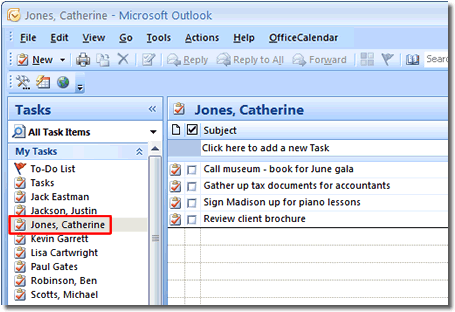
Sharing Microsoft Outlook peronal folders with OfficeCalendar...
|
|
See examples of Outlook group calendars
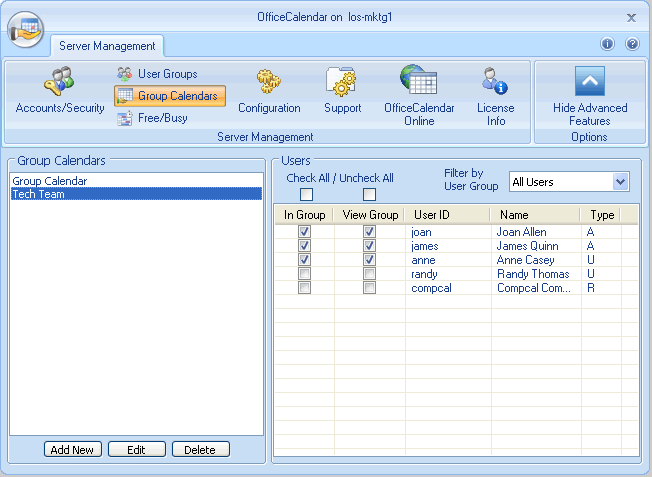
OfficeCalendar lets you create an unlimited number of group calendars for use within Microsoft Outlook and/or the web. When defining group calendars you can determine both who can view and interact with group calendars and whose appointments will be shown in the group calendar.
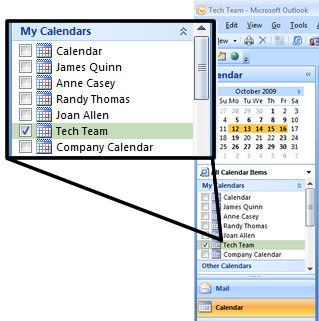
Just like shared user and resource calendars, OfficeCalendar creates group calendars as sub-folders directly below your primary Calendar view in Microsoft Outlook making the both quick and easy to access from within the Outlook interface.
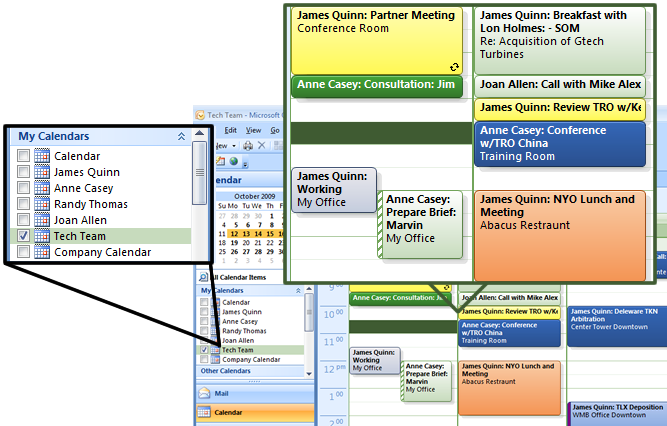
OfficeCalendar's group calendar function combines a defined group of people's appointments into one calendar view. Each user's appointments are easy to locate because OfficeCalendar appends the appointments Subject line with the appointment owner's name.
|
|
|
 |
|
 |
|
|
Create unlimited shared Calendar and Contact folders for things like a
company contact folder/s, [a] firm-wide calendar/s, [a] conference room
calendar/s, and much more.
|
|
OfficeCalendar provides comprehensive Outlook folder sharing security
that gives you precise control over who can see and do what.
|
|
|
See examples of shared resource folders
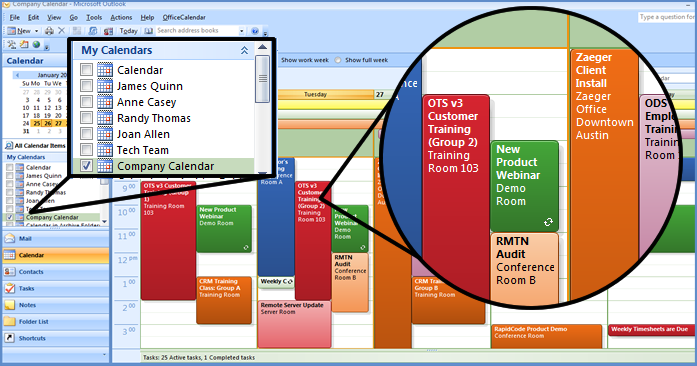
OfficeCalendar also allows the creation of shared resource calendar, contact and task folders. The above image is an example of a shared company-wide calendar simply named "Company Calendar".
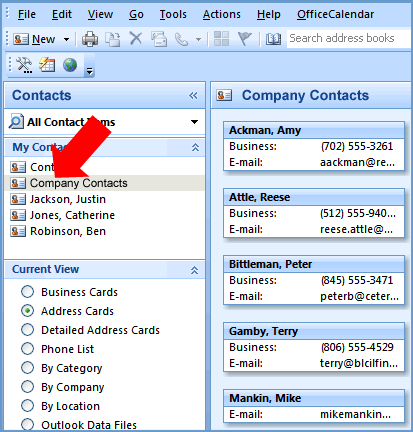
The above image is an example of shared contact resource folder named "Company Contacts".
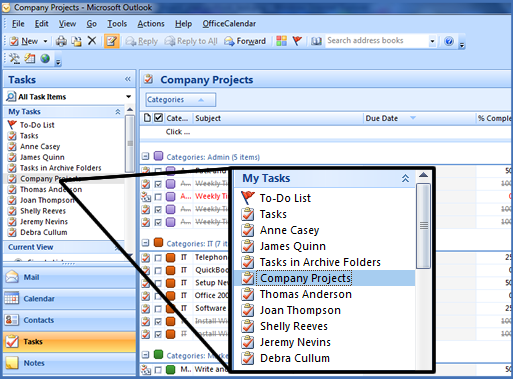
The above image is an example of shared task resource folder named "Company Projects".
|
|
See examples of the security interface
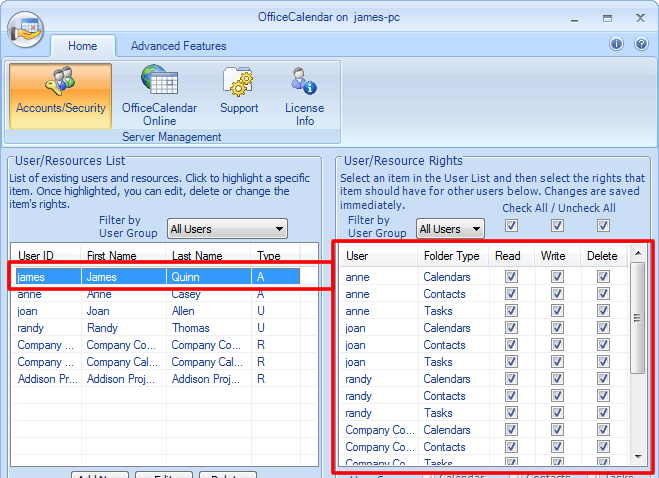
OfficeCalendar offers for Outlook sharing security in an easy understand admin interface.
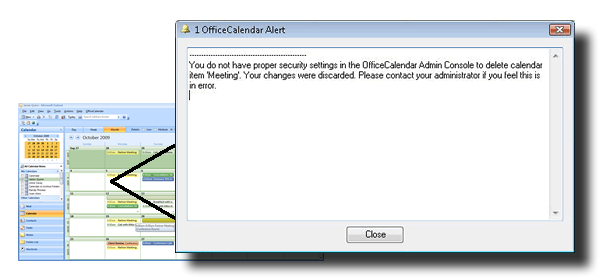
If a specified user has not been granted rights to delete shared Outlook information OfficeCalendar will notify them with pop message.
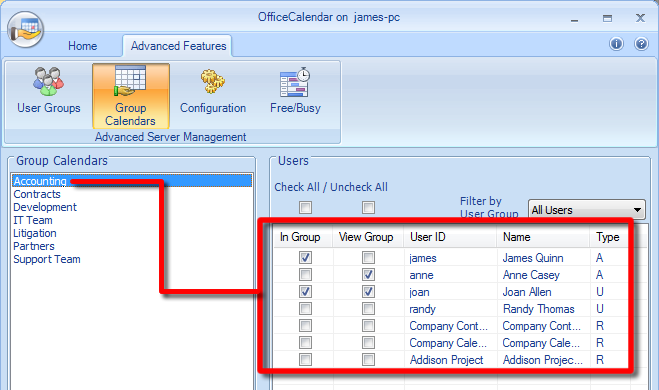
OfficeCalendar's Outlook sharing security extends to group calendars as well. You can also define which users can see a specified group calendar as well as which user's appointments will appear in a specified group calendar.
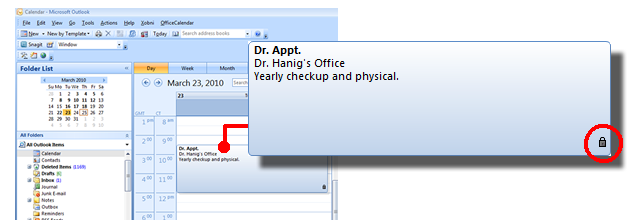
When an end user marks a specified appointment "Private" only he/she will see the details of the appointment.
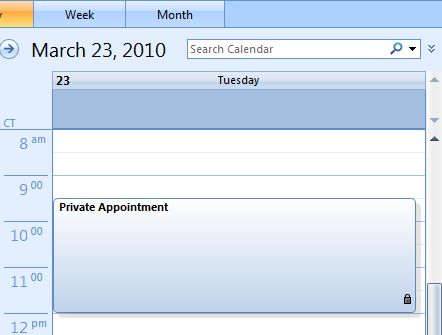
All other users will only see that the time (of another user's private appointment) is blocked out with an appointment subject labeled "Private Appointment". Again, only the owner of a private appointment will be able to see details (full subject and notes).
|
|
|
 |
|
 |
|
|
Laptop users can enjoy the freedom of working from home or on the road
and can still share Outlook calendar, email, contact and task information
with their colleagues; even they are not connected to the office network
or the Internet with OfficeCalendar.
|
|
As an Outlook addin, OfficeCalendar becomes a part of your
copy of Outlook 2000, Outlook XP(2002), Outlook 2003, Outlook 2007, Outlook 2010, Outlook 2013 and Outlook 2016 unlocking its ability to share calendar, contact, task and email folders with your colleagues.
|
|
|
See examples of offline mode
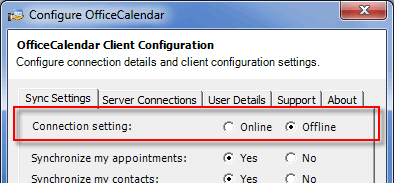
OfficeCalendar allows mobile users to work offline when they don't have the ability to connect to their company's OfficeCalendar Server. When the user able reconnect with their company's servers all changes will synced and updated.
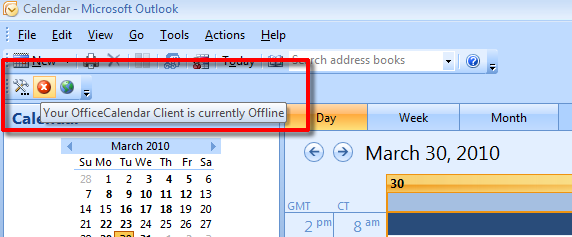
OfficeCalendar will even remind user with an unobtrusive visual cue inside of Outlook when they are working offline.
|
|
See OfficeCalendar work inside Outlook
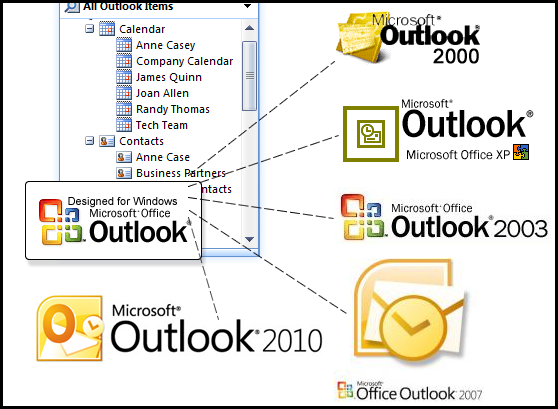
OfficeCalendar works with Outlook 2000, 2002(XP), 2003, 2007, 2010 and 2013 (32 and 64 bit)...
|
|
|
 |
|
|
|
|
Create and store email templates used for replying to frequently repeated email questions with a single click.
|
|
|
|
|
Learn more about Outlook email response templates
|
|
|
|
|
|
 |
|
 |
|
|
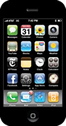
OfficeCalendar Mobile for iPhone enables wireless (over-the-air) syncing
of your personal and shared Outlook calendar and contact folders to your
iPhone, iPad and iPod Touch iOS devices.
|
|
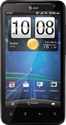
OfficeCalendar Mobile for Android Phones enables wireless (over-the-air) syncing
of your personal and shared Outlook calendar and contact folders
to your Android smartphone device.
|
|
|
Learn more about the iPhone App for OfficeCalendar
|
|
Learn more about the Android App for OfficeCalendar
|
|
|
 |
|
 |
|
|
OfficeCalendar Online provides the functionality to view add and/or
modify your personal and shared Outlook calendar, contact and task folders
via the web, from anywhere at any time.
|
|
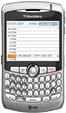
OfficeCalendar Mobile for BlackBerry enables them to wireless
(over-the-air) synchronization of contact, task and calendar information
between your Outlook/OfficeCalendar installation and BlackBerry
smartphone device.
|
|
|
See examples of OfficeCalendar Online
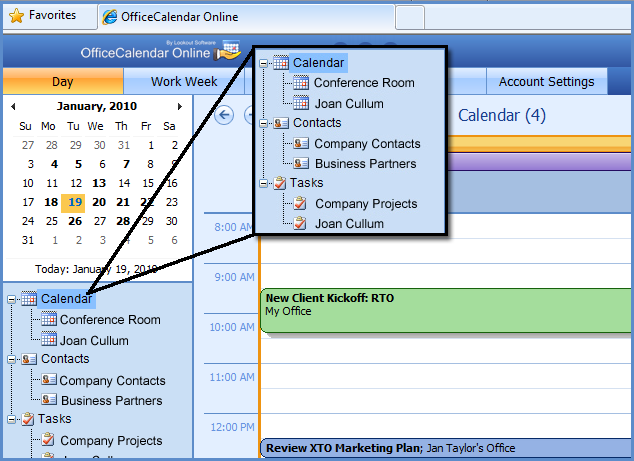
OfficeCalendar Premium Maintenance customers also get OfficeCalendar Online…web access to their Outlook calendar, contact and tasks data.
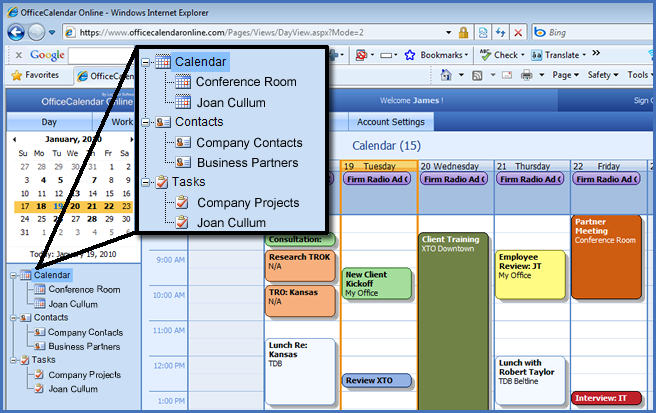
All primary calendar functions and views available to you in Microsoft Outlook are also built into OfficeCalendar Online.
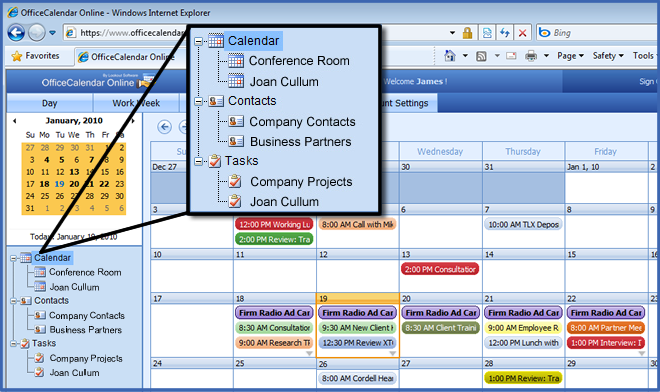
Shared calendars (and group calendars) are also available in the OfficeCalendar Online web interface; organized just like they are inside your copy of Outlook.
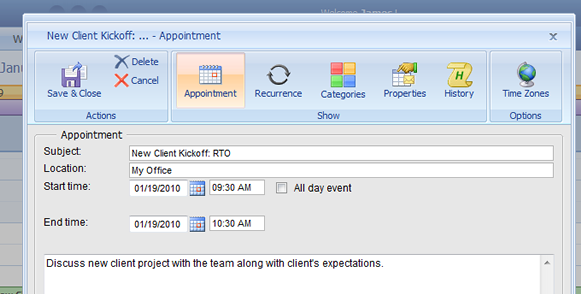
You can even add new appointments and modify existing appointments on your calendar and (as well as shared calendars) using OfficeCalendar Online. All additions and modifications will be synced back to Outlook.
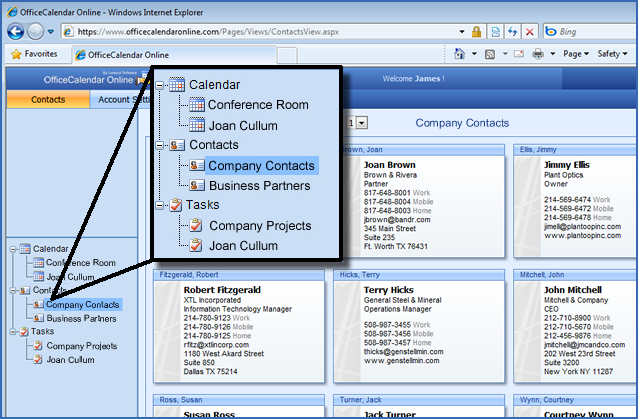
Your personal and shared Outlook Contact folders are also available for viewing editing in OfficeCalendar Online.
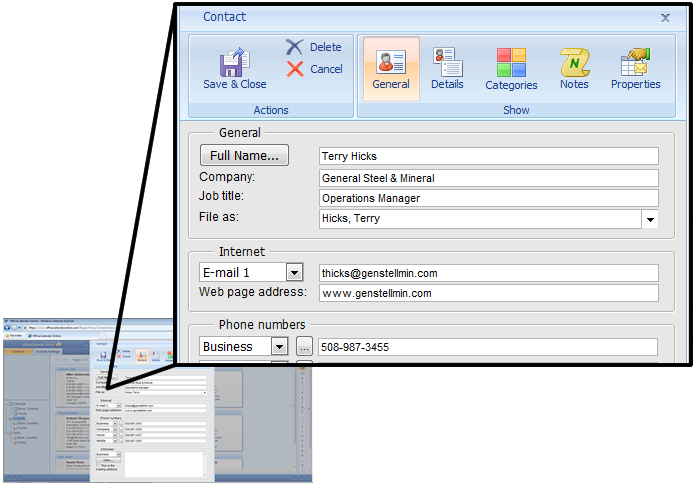
All the standard Outlook contact fields are visible and editable within OfficeCalendar Online.
|
|
See examples of OfficeCalendar Mobile for BlackBerry
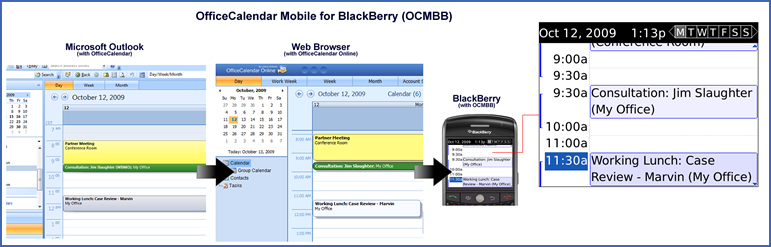
OfficeCalendar Mobile for BlackBerry is an addon for OfficeCalendar Online users, which allows them to keep their Outlook calendar, contact and task information wirelessly synced with their BlackBerry's calendar, contact address book and task list.
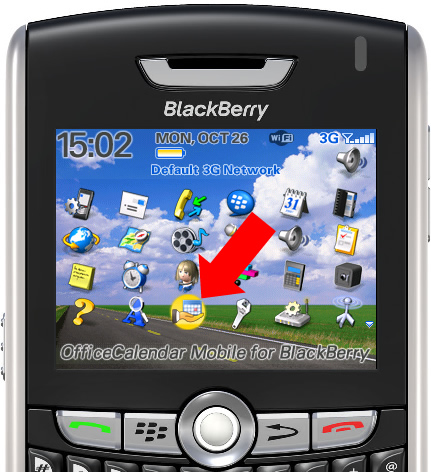
Installation of the OfficeCalendar Mobile for BlackBerry software is very simple and only takes a few seconds.
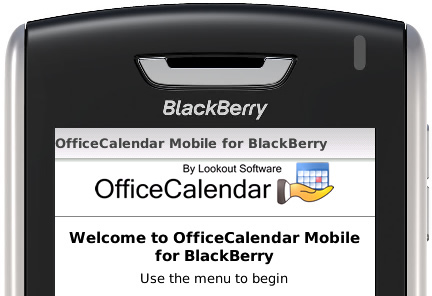
The OfficeCalendar Mobile for BlackBerry application is designed specifically for BlackBerry handheld devices.
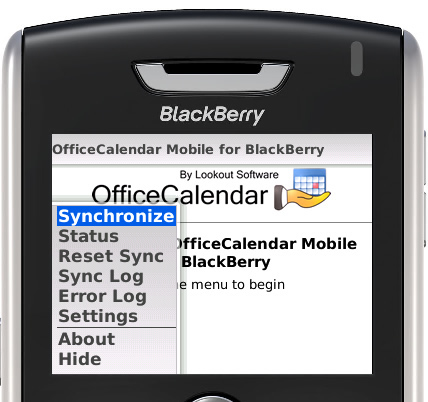
Built-in menus allow you easy access options for your sync setup.
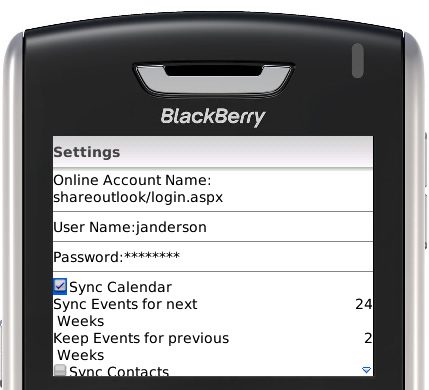
Using OfficeCalendar Mobile's sync settings you specify which objects you want to sync (calendar, contact and/or task).
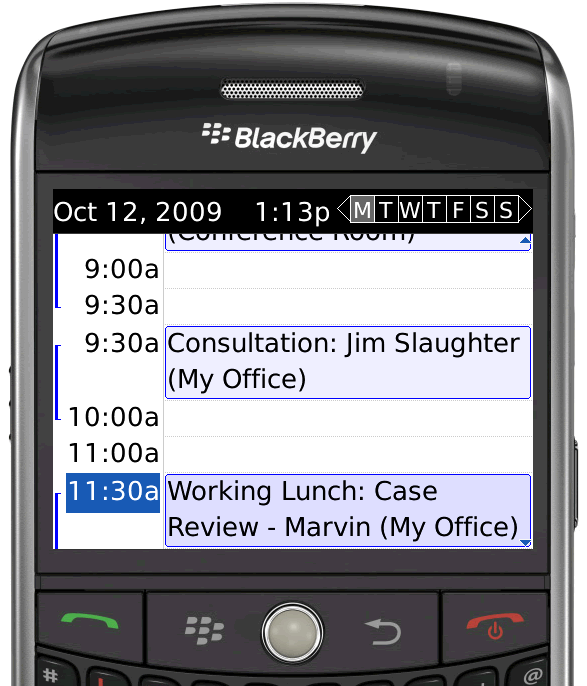
Once the connection between your OfficeCalendar user account and BlackBerry are established, appointments in your copy of Outlook and on your BlackBerry are automatically kept in sync without the need to connect cables to your computer.
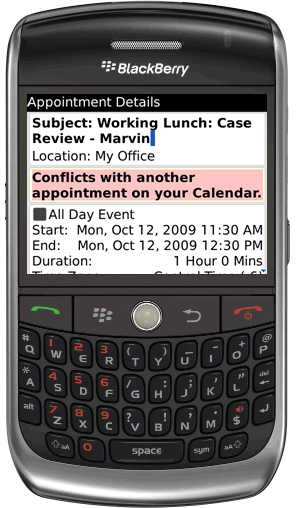
When you input appointments from your BlackBerry they'll be synced down to your Outlook and all other user's sharing your calendar will be able to your appointment as well.
|
|
|
 |
|
 |
|
|
OfficeCalendar's .NET technology makes it easy for employees working
from home, remote offices, etc. to connect to your office's
OfficeCalendar server to send and receive updates as often as they like.
|
|
OfficeCalendar Online now supports Firefox web browsers for
both Apple Mac and Windows platforms. So now your Mac user isn't left out of
the loop.
|
|
|
See examples on how to sync Outlook and OfficeCalendar over the Internet
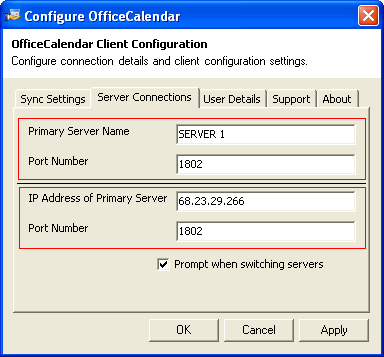
With OfficeCalendar you can share Outlook calendars, contacts, and tasks with your co-workers while working remotely over an Internet connection. OfficeCalendar's .NET technology makes it easy for employees working from home, remote offices, or traveling out of town to connect to your office's central OfficeCalendar server to send and receive updates as often as they like.
|
|
See examples of OfficeCalendar Online using a Mac
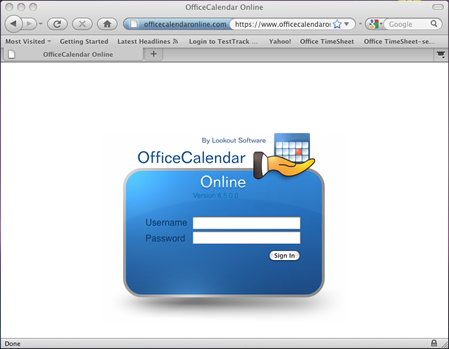
OfficeCalendar Online lets Apple Macintosh users share calendars, contacts and tasks with Microsoft Outlook users (Windows).
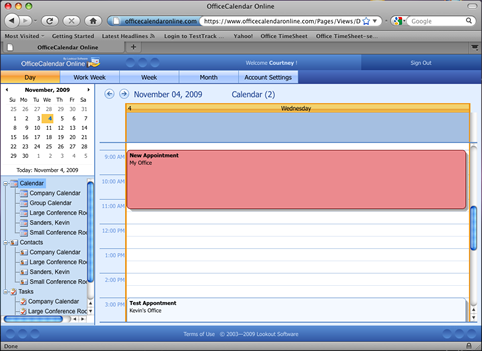
OfficeCalendar Online presents Mac users with an interface almost identical to Windows version of Microsoft Outlook.
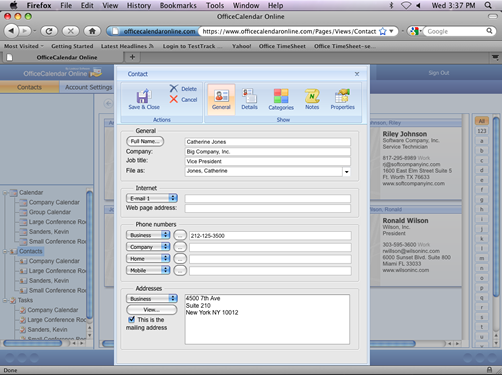
Even fluent-style modal dialog boxes work on Mac computers via OfficeCalendar Online.
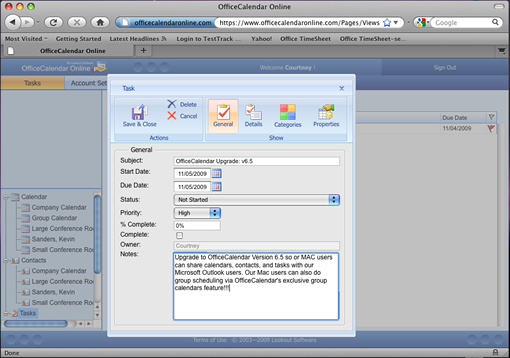
Mac users can create and modify appointments for themselves or other users just as if they were using a copy of the Windows version of Microsoft Outlook.
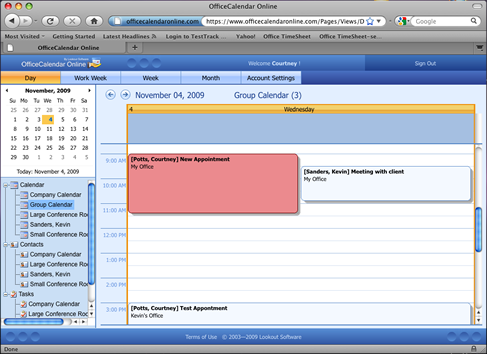
Even OfficeCalendar's Group Calendar features and functions work with the Mac.
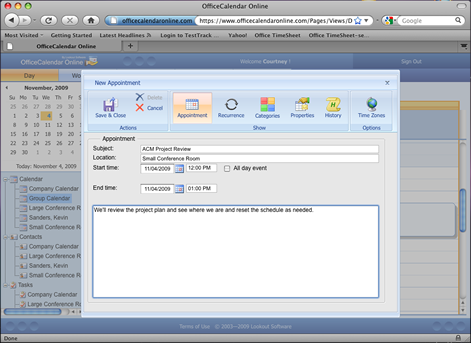
The screen above demonstrates the creation of an appointment in an Outlook group calendar from a Mac client.
|
|