OfficeCalendar saves you money!
|
|
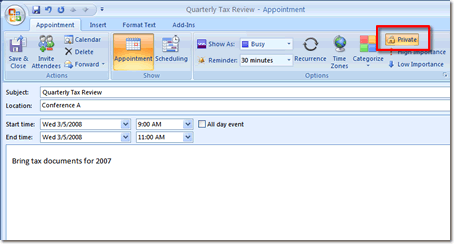
You can create an appointment from within Outlook which will not be viewable to other OfficeCalendar users, and will not be displayed within OfficeCalendar group calendar views. This is referred to as a Private Appointment.
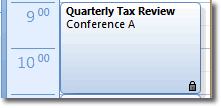
To create a Private Appointment, schedule an appointment within Outlook as you normally would. In the top right-hand corner of the Outlook appointment creation screen, you will see an icon labeled Private. Clicking this option ensures that your appointment will not be viewable by other Outlook or OfficeCalendar users. You will know that your appointment has been successfully marked as Private when the lock appears next to the appointment within your Outlook calendar.
OUTLOOK GROUP CALENDARS SCREEN 1 >>
|
|
Microsoft and the Office logo are trademarks or registered trademarks of Microsoft Corporation in the United States and/or other countries.