OfficeCalendar saves you money!
|
|
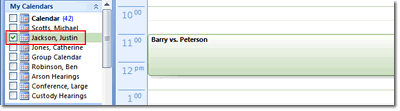
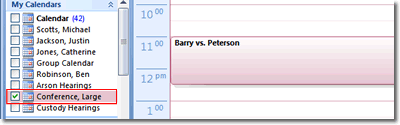
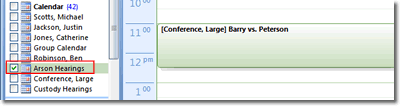
Appointments created in a group calendar folder also roll into each selected users' individual Calendar folder. The first two screens show how the original appointment created in the "Custody Hearings" group calendar rolls into Justin's individual Calendar folder as well as how it rolls into the individual Large Conference Room's Calendar folder.
Because a user's and/or resource's appointments can be in more than one group calendar, appointments created in one group calendar for a specified user will also appear in all other group calendars in which the user's appointments appear in as well. In our example, the resource user LargeConf's (Large Conference Room) appointments also appear in another group calendar named "Arson Hearings". The third screenshot shows how the appointment for the Large Conference Room in which Nicole created in the "Custody Hearings" group calendar rolls into the "Arson Hearings" group calendar after the OfficeCalendar synchronization processed it.
OUTLOOK GROUP CALENDARS SCREEN 4 >>
|
|
Microsoft and the Office logo are trademarks or registered trademarks of Microsoft Corporation in the United States and/or other countries.