OfficeCalendar saves you money!
|
|
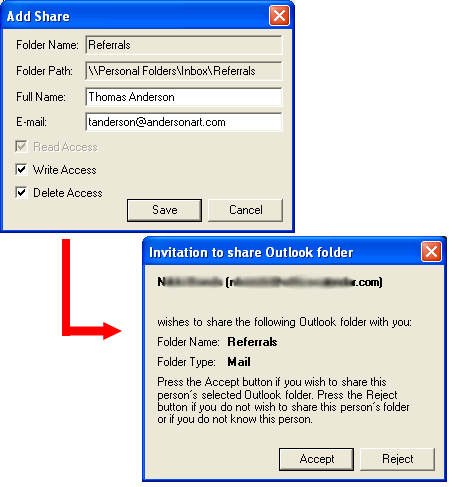
When you invite another user to share one of your Outlook email folders, Outlook "sends" an invitation to the other user letting them know you would like to share one of your Outlook email folders with them. Once the user accepts, he or she can change the location and name of the email folder if they wish. Security remains intact for "read", "write" and "delete" access so you choose who accesses your email folders and how.
SHARE OUTLOOK EMAIL SCREEN 3 >>
|
|
Microsoft and the Office logo are trademarks or registered trademarks of Microsoft Corporation in the United States and/or other countries.